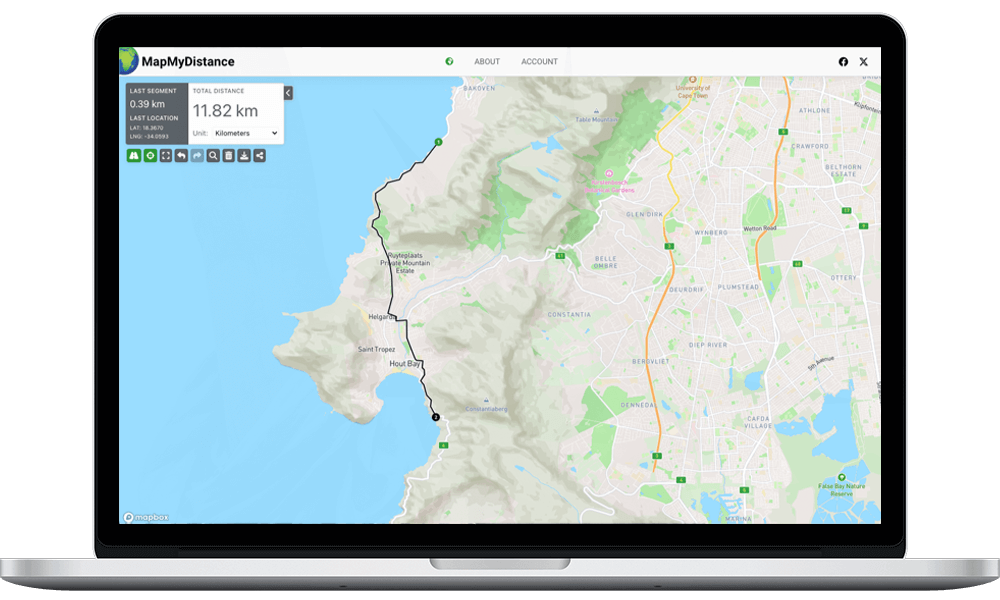
What is Map My Distance?
Map My Distance was created for the runner, cyclist, hiker or anyone else who needs to calculate a distance from one point to the next for exercise purposes. Using the latest Google Maps API we calculate the distances of the routes you draw out and give you the option to save them, send them to your friends, or copy a link to a route and paste it to Facebook, Twitter, Google Plus or any of your other social network profiles.
For now Map My Distance is a basic tool for calculating the distance of your routes but will grow as we add new features to create the ultimate distance calculating tool for everyone to use. We will not clutter our website with advertising as all other websites do.
Why sign up to Map My Distance
We have a few reasons you should sign up to Map My Distance:
- You can save routes under your profile and view or edit them at any time.
- You can annotate your routes by adding points of interest.
- You can send your routes to friends or copy your route links to your social network profiles.
- We’ll keep you up to date with new features coming soon to Map My Distance.
How does it work?
Start by typing the location that you’d like to begin measuring your distance from in the search bar at the top. Once you have the map at your starting location place points and draw out your route by clicking on the map. The distance of your route can be viewed in the left sidebar under “Distance”.
Points of interest can be added to your route by clicking the red flag icon. These allow you to annotate your route with notes that you or anyone viewing your route might find useful.
Once you’ve mapped out your route enter it’s details and save it to your profile. Click the “Saved Routes” tab to view, edit or send them to a friend.